
Download CueType – Elegant Typing Tutor for macOS
Overview
CueType is a beautifully designed typing tutor built specifically for macOS users who want a balance between simplicity and effectiveness. Unlike many other typing programs that overwhelm beginners with dense statistics or, conversely, bore advanced typists with overly basic drills, CueType walks a steady middle line. The application groups practice sessions by logical drill types—such as “Space and Return,” “Right‑Shift,” or “Numerals and Symbols”—so you can target the exact keys you need to master.
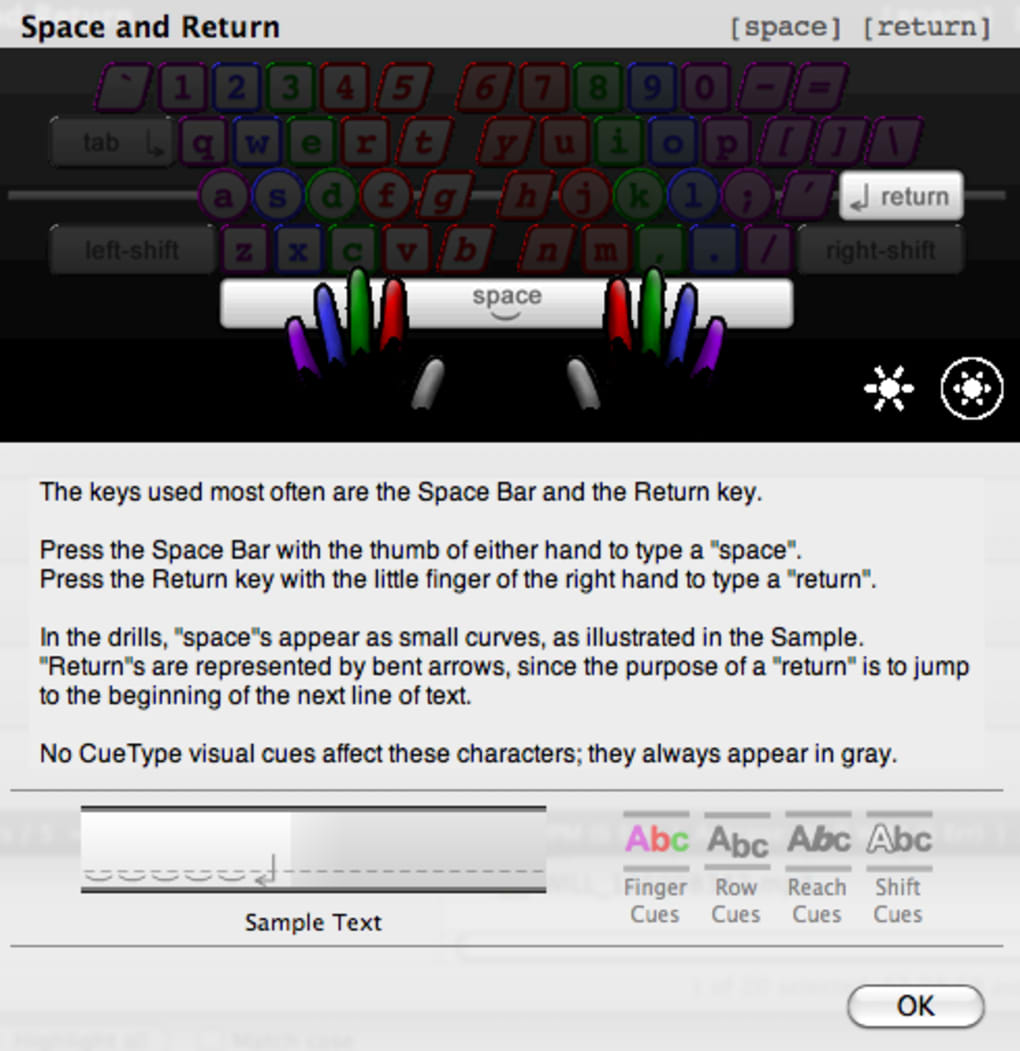
After selecting a drill, a single click on “Drill Info” provides concise guidance on finger placement, posture, and the specific goals of the exercise. When you begin typing, CueType instantly measures your words‑per‑minute (WPM) rate and error count, displaying live feedback through a series of intuitive cues: Finger Cues, Row Cues, Shift Cues, and Reach Cues. These visual hints help you correct mistakes on the fly, encouraging muscle memory without interrupting your flow.
Recent updates have expanded CueType’s capabilities significantly. The software now supports both US QWERTY and Dvorak keyboard layouts, offers printable performance reports, and introduces a “ghost‑typing” mode that lets you watch a virtual hand demonstrate proper finger movements. A darker theme reduces eye strain during long sessions, while automatic update checking guarantees you always run the latest, most secure version. Although the program is limited to US‑based layouts and lacks deep analytics found in heavyweight competitors, its polished interface, low learning curve, and focus on real‑time guidance make it an excellent choice for students, professionals, and anyone who simply wants to type faster on a Mac.
Key Features and Functionality
- Drill‑Based Learning: Choose from a wide range of drill categories, each targeting specific keys or key combinations.
- Real‑Time Feedback: Finger, row, shift, and reach cues appear instantly as you type, helping you self‑correct without leaving the drill.
- Customizable Thresholds: Set your own limits for allowable errors and target WPM, allowing you to gradually increase difficulty.
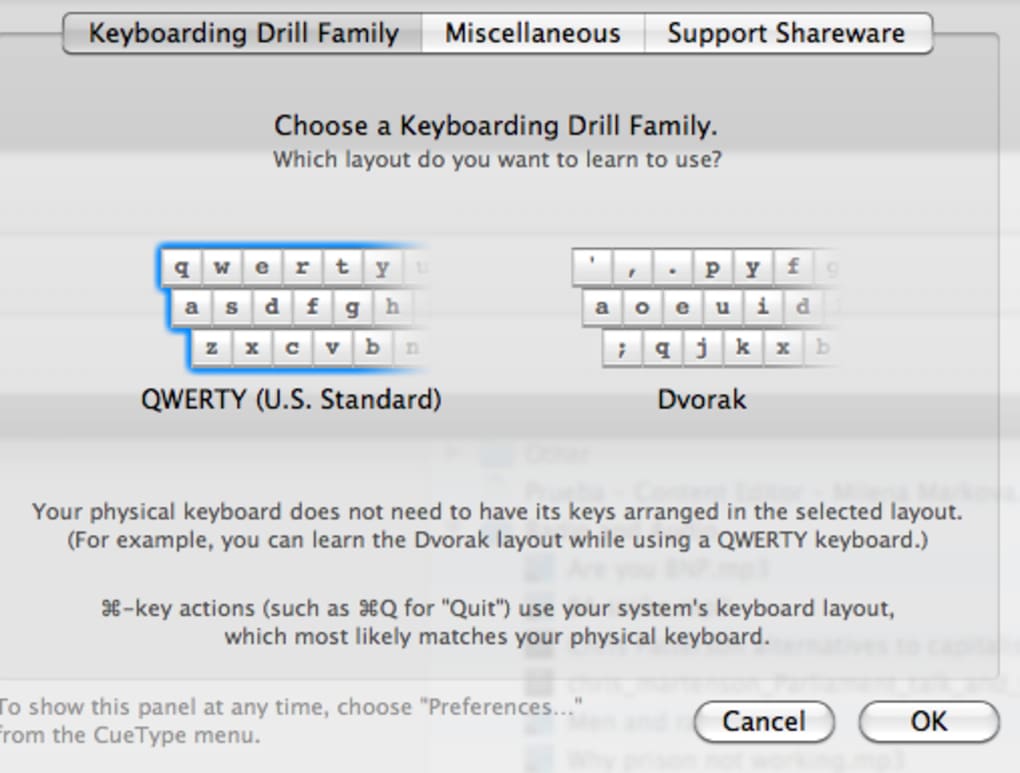
- Keyboard Layout Support: Native support for US QWERTY and Dvorak layouts, with easy switching in the Preferences panel.
- Performance Reporting: Generate printable PDF reports that summarize session statistics, trends, and areas for improvement.
- Ghost‑Typing Mode: Watch a virtual hand type the drill text, perfect for visual learners who need a model to follow.
- Auto‑Restart & Do‑Over: Missed a key? Restart the current attempt with a single click, keeping momentum high.
- Dark Theme & Magnification: Reduce glare with a darker UI and enlarge the drill text for better readability.
- Universal Binary: Runs natively on both Intel‑ and Apple‑silicon Macs, as well as legacy PowerPC machines.
- Automatic Update Checks: CueType silently checks for new releases, ensuring you stay protected with the latest security patches.
Each feature has been crafted with a user‑first mindset. For instance, the “Drill Info” button not only explains the purpose of a drill but also offers ergonomic tips such as which fingers should strike each key, how to keep wrists neutral, and how to maintain a relaxed posture. The live cue system is lightweight yet powerful: when you hit the wrong key, a subtle underline flashes beneath the offending character, and a small icon indicates whether the mistake was due to finger placement, row selection, shift usage, or reach distance. This granular feedback lets you pinpoint the exact habit you need to adjust.
The printable performance reports are especially valuable for teachers or corporate trainers who need to track progress over weeks or months. Reports include average WPM, total errors, error distribution per drill type, and a visual heat map of problematic keys. By exporting these PDFs, you can keep a hard copy on your desk or share it with an instructor for personalized coaching.
Installation, Usage & Compatibility
Downloading and Installing CueType
Getting started with CueType is straightforward. Visit the official website, click the Download for macOS button, and save the .dmg file to your Downloads folder. Open the disk image, then drag the CueType icon into your Applications folder. macOS will verify the app’s signature; if you see a warning about unidentified developers, simply open System Preferences → Security & Privacy → General and click “Open Anyway.” The installer is free, and the core program runs without any hidden fees.
First‑Run Configuration
Upon launching CueType for the first time, you’ll be greeted by a short welcome wizard. The wizard asks you to confirm your keyboard layout (QWERTY or Dvorak) and whether you prefer the light or dark theme. You can also enable automatic update checks and set default error/WPM thresholds. All preferences are stored in ~/Library/Preferences/com.cuetypesoftware.plist, making them portable across macOS user accounts.
Running a Drill
To begin a drill, click the “Drills” menu and select a category that matches the skill you wish to practice. For example, choosing “Space and Return” will load a series of sentences that emphasize those keys. Click “Drill Info” for a quick refresher on finger placement, then press the first character.
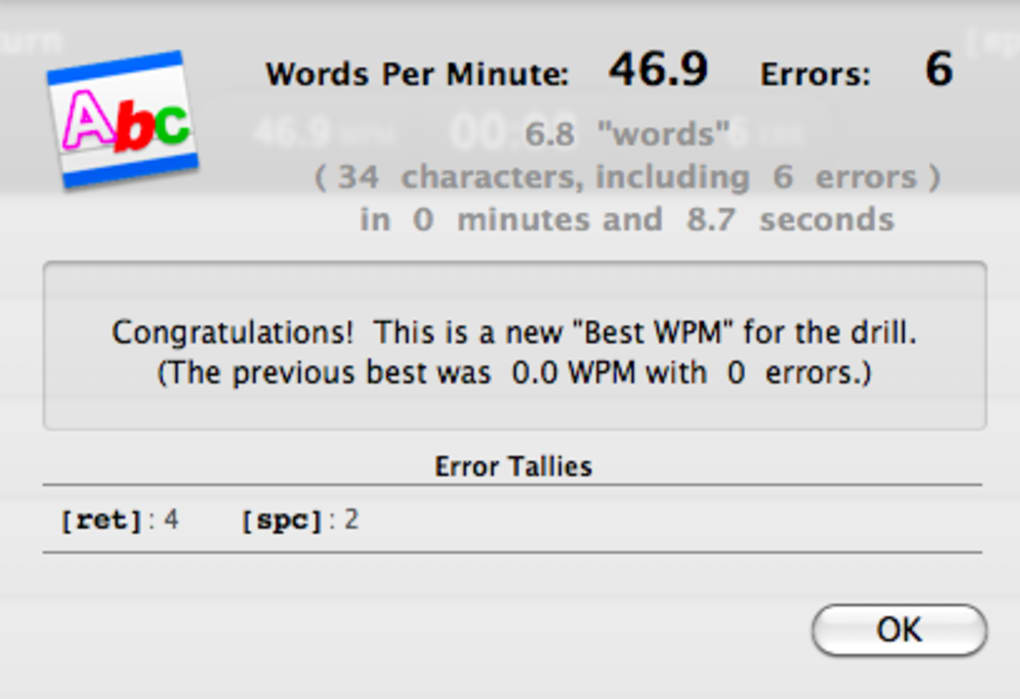
CueType begins tracking your speed and errors instantly. If you exceed your error threshold, the drill automatically pauses and offers a brief tip on how to correct the most common mistake you just made. When you finish, a summary window displays your final WPM, total errors, and a visual cue map.
System Requirements (itemprop="operatingSystem")
CueType is optimized for macOS 10.12 (Sierra) and later. Thanks to its universal binary, the app runs natively on Intel, Apple Silicon (M1/M2), and older PowerPC Macs. Minimum hardware requirements include 512 MB RAM, 100 MB of free disk space, and a standard US‑style keyboard. No additional drivers or plugins are necessary.
Because CueType is a native macOS application, it integrates smoothly with system accessibility features. You can enable VoiceOver support for visually impaired users, and the app respects macOS’s Dark Mode settings. If you encounter any compatibility issues, the built‑in “Check for Updates” command will download the latest patch automatically.
Pros, Cons & Frequently Asked Questions
Pros
- Elegant, distraction‑free interface that encourages focus.
- Instant, actionable feedback through multiple cue types.
- Customizable difficulty settings for learners of all levels.
- Supports both QWERTY and Dvorak layouts, with easy switching.
- Printable performance reports help track long‑term improvement.
- Universal binary ensures smooth operation on Intel, Apple‑Silicon, and PowerPC Macs.
- Free download with no hidden subscription fees.
Cons
- Limited to US keyboard layouts; no support for international or custom key maps.
- Lacks deep statistical analysis found in heavyweight typing suites.
- No built‑in multiplayer or competition mode.
- Only available for macOS; no Windows, Linux, iOS, or Android versions.
FAQ
Can I use CueType with an external Bluetooth keyboard?
Yes. CueType detects any connected USB or Bluetooth keyboard automatically. Just ensure the keyboard is set to a US QWERTY or Dvorak layout in macOS System Preferences.
Is there a way to export my performance data?
Absolutely. The “Print Report” button generates a PDF containing all session statistics, which you can save, email, or print.
How often does CueType receive updates?
The developer releases updates roughly every 3‑4 months, with minor bug‑fix patches in between. Automatic update checks keep you informed.
Can I change the cue colors for better visibility?
Yes. In Preferences → Appearance you can select from several color schemes for Finger, Row, Shift, and Reach cues.
Is there a trial version or a money‑back guarantee?
CueType is completely free to download and use. There is no paid tier, so you can try all features without any financial commitment.
Conclusion & Call to Action
CueType fills a niche that many macOS typing tutors have ignored: providing a sleek, user‑friendly environment that still offers meaningful guidance for typists of every skill level. Its drill‑centric design, real‑time cues, and printable reports make it a solid choice for anyone looking to boost typing speed without drowning in endless statistics. While the lack of international keyboard support and deeper analytics might deter power users, the overall experience is polished enough to keep you coming back for daily practice.
If you’re ready to type faster, more accurately, and with less strain, download CueType today. The free installer is just a click away, and the application will automatically check for updates to keep your software secure. Start with a simple “Space and Return” drill, watch your WPM climb, and soon you’ll notice the difference in everyday tasks—whether you’re writing emails, coding, or drafting documents.
Take advantage of CueType’s elegant interface and start building better typing habits now. Click here to download CueType for free and join the community of Mac users who are already typing smarter.
Overall Rating: 4.5/5







